Maintenance Management & Field Service SoftwareMaintenance made easy.
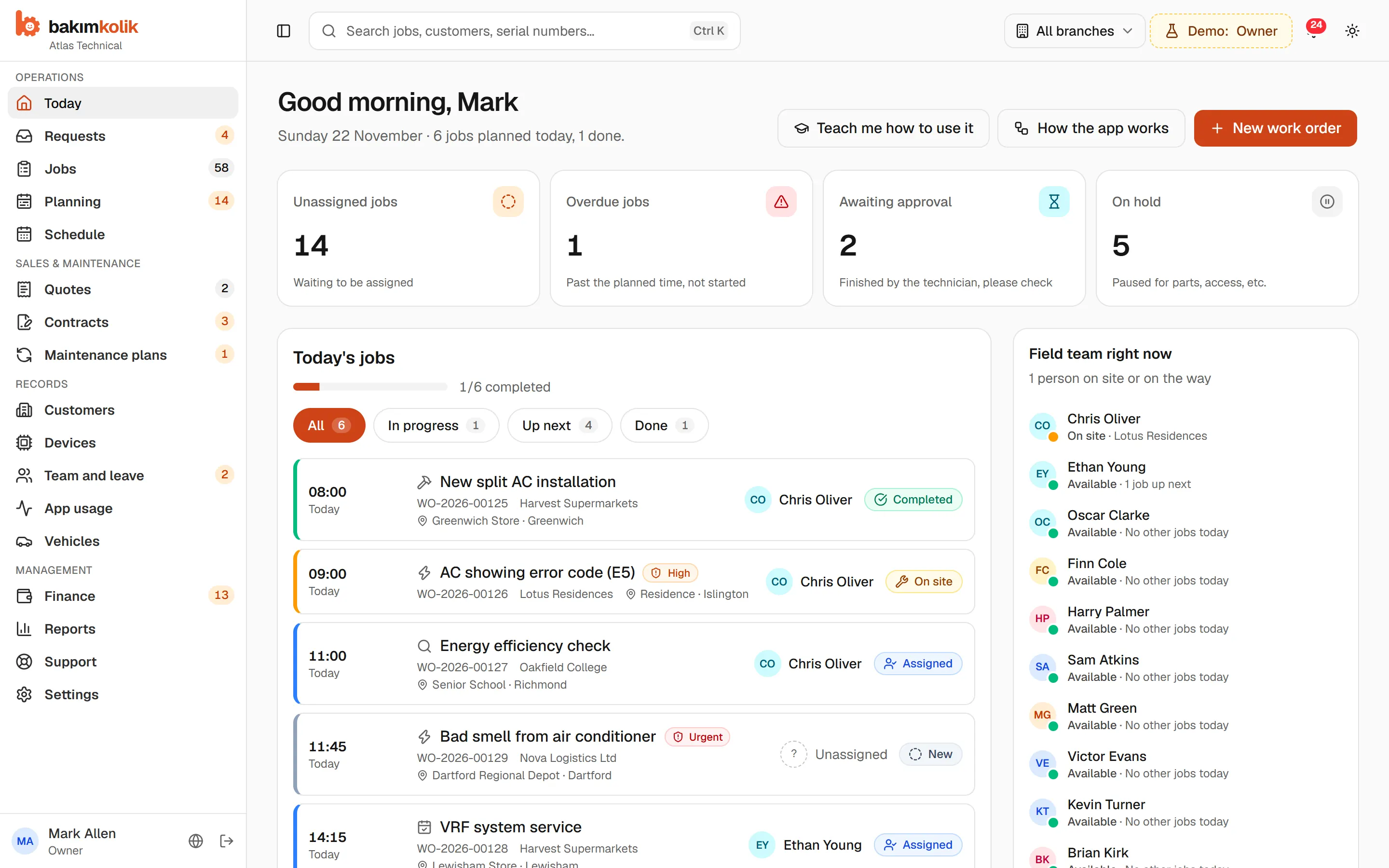
Requests, work orders, planned maintenance, field teams and payments in one place. The office works on a computer, the team on their phones, and everyone sees the same thing. You know what's happening without calling anyone.
- No credit card needed
- For the office, the field and management
- Nothing to install, opens in your browser
For every team doing planned maintenance and technical service
- HVAC and ventilation
- Lifts
- Boilers and heating
- Generators
- Fire safety
- Water treatment
- Electrical and UPS
- Industrial maintenance
Sound familiar?
The more your service grows, the harder it is to keep track.
Notebooks, spreadsheets and WhatsApp groups only get you so far. bakımkolik brings it all together, so everyone sees the same information.
Today
- Which unit is due for maintenance, and when? It's lost in a corner of a spreadsheet.
- Is the technician on site or on the road? Someone has to ring round.
- Covered by the contract or chargeable? Everyone has a different answer.
- Who collected the money, what's in the cash box? Month-end brings surprises.
With bakımkolik
- Maintenance that falls due becomes a work order on its own.
- Who's where, doing what: the office and the owner see it at a glance.
- The system tells you how many visits are left on a contract.
- Payments taken on site, expenses and cash are recorded every day.
Features
From request to payment, your whole service.
One place instead of a pile of separate tools. Every screen is simple enough for the colleague who isn't keen on computers.
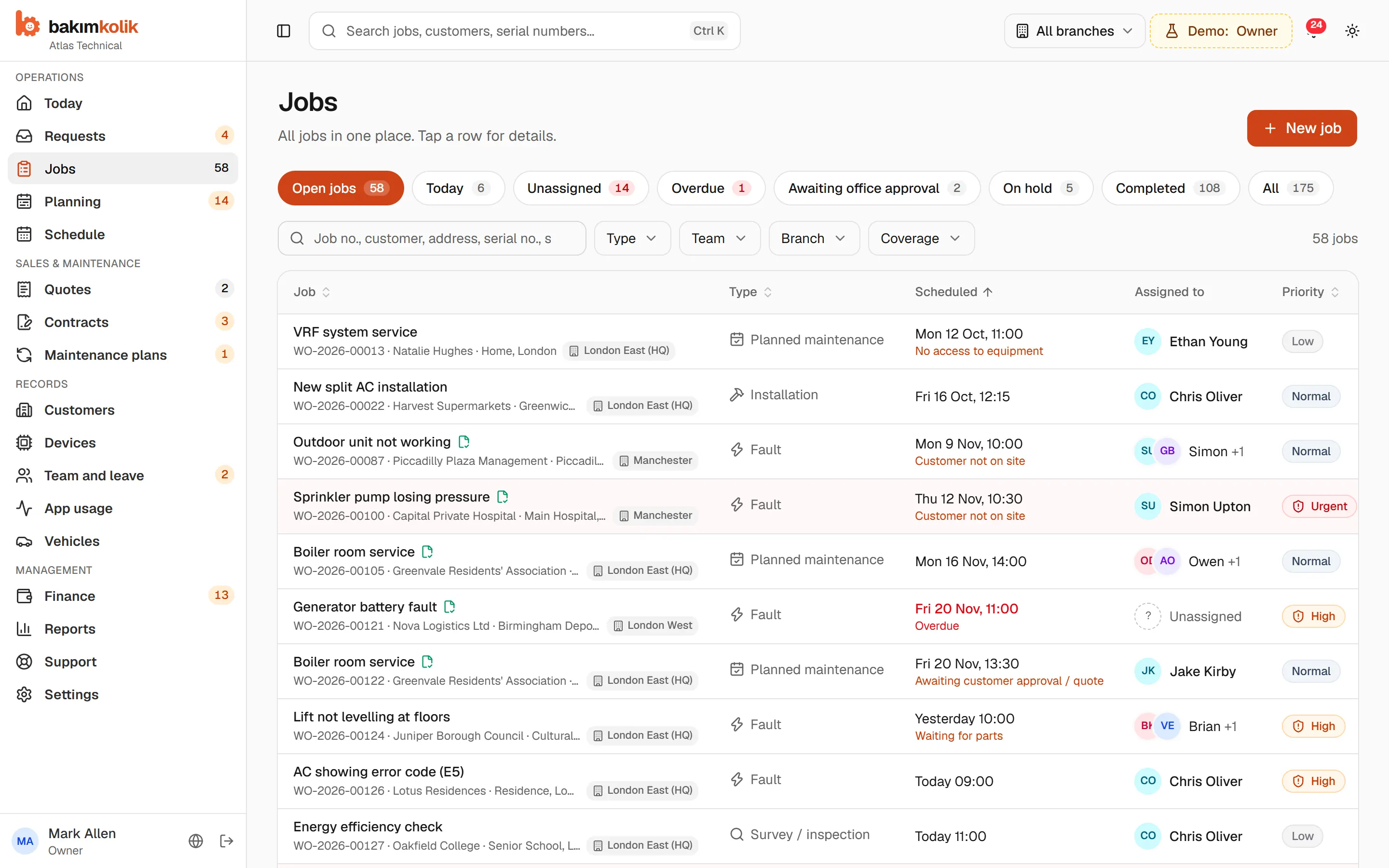
Work orders
The status of every job at a glance: new, assigned, on the way, on site, done. Overdue jobs and jobs awaiting approval rise to the top.
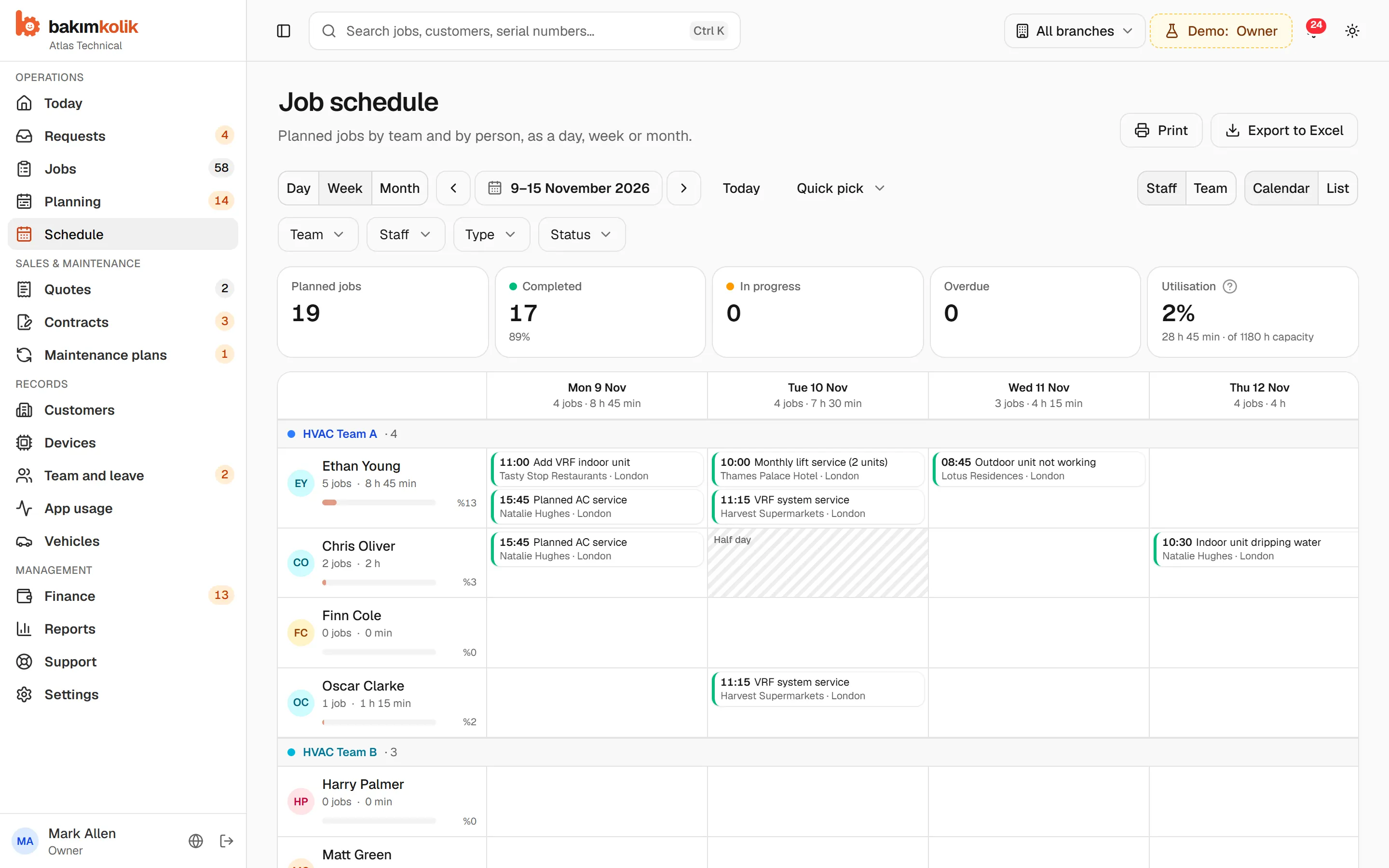
Job planner
A plan that knows about leave and bank holidays. See who's free, then drag and drop the job.
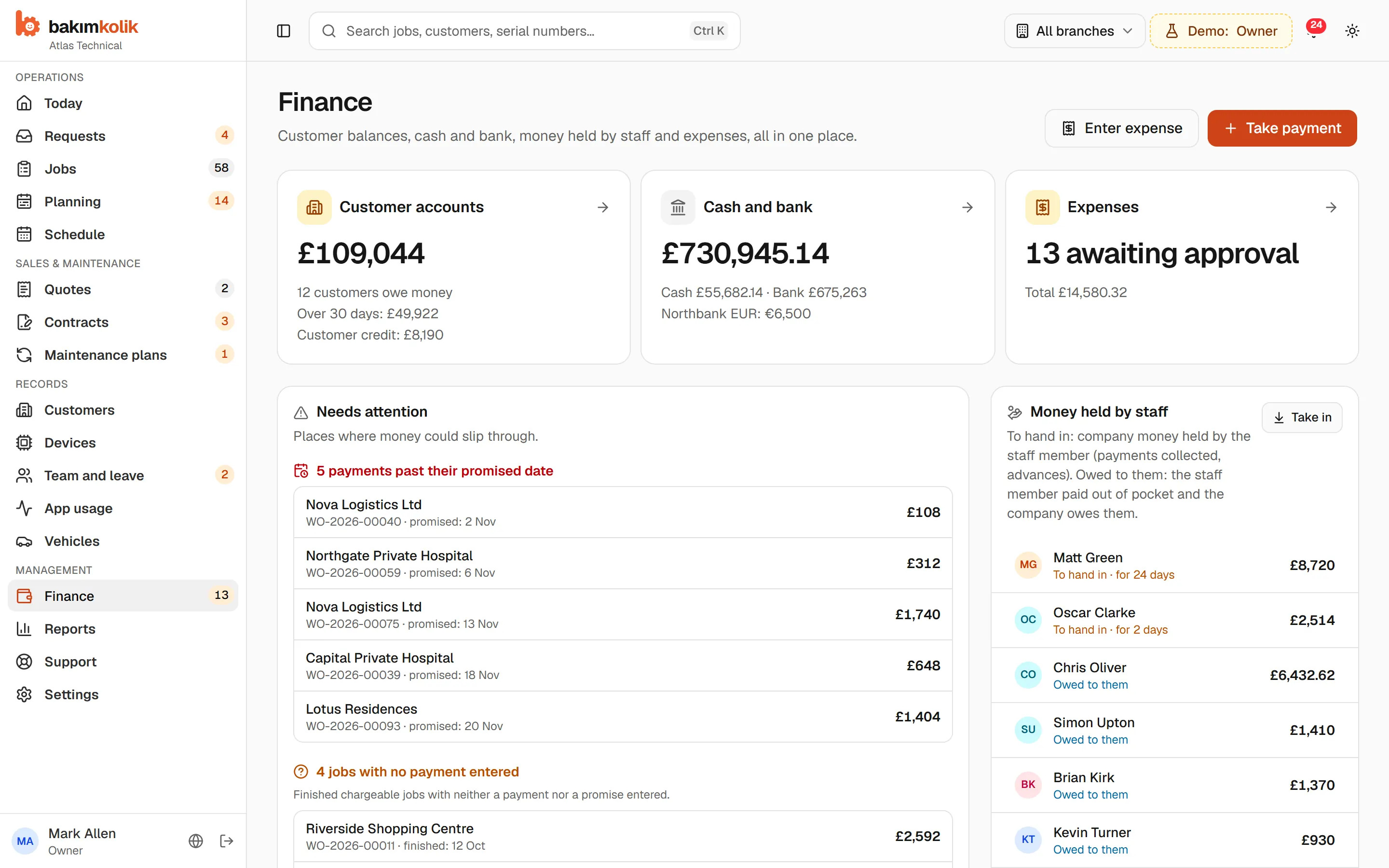
Payments, expenses, cash
Who holds the cash taken on site, what's in the cash box, who owes what. It doesn't replace your accounting software; it makes tracking easier.
Planned maintenance
Set up the plan once. Maintenance that falls due becomes a work order on its own, so no unit is forgotten.
Contracts
Which units are covered, how many visits are left, when does it end? You get a heads-up before renewal.
Requests and web form
Requests by phone, email, WhatsApp or your own web form land in one inbox; one click turns them into a work order.
Quotes
Turn a site survey into a quote, in any currency you like. Once approved, the line items move straight into the job.
Customers, sites, equipment
Every customer's shops, warehouses and equipment; every unit with its full maintenance history.
Vehicles and fuel
Who has which van, how many miles it's done, what fuel and costs came to. Reminders before MOT and insurance are due.
Leave and holidays
No jobs go to staff on leave; bank holidays and branch hours show up in the plan.
Branches and permissions
Each branch with its own team, vehicles and working hours. Everyone sees only what they need.
Reminders and reports
Overdue jobs, pending approvals, upcoming maintenance, cash not yet handed in. The system keeps track so you don't have to.
For everyone
Everyone sees their own work. Nobody gets lost.
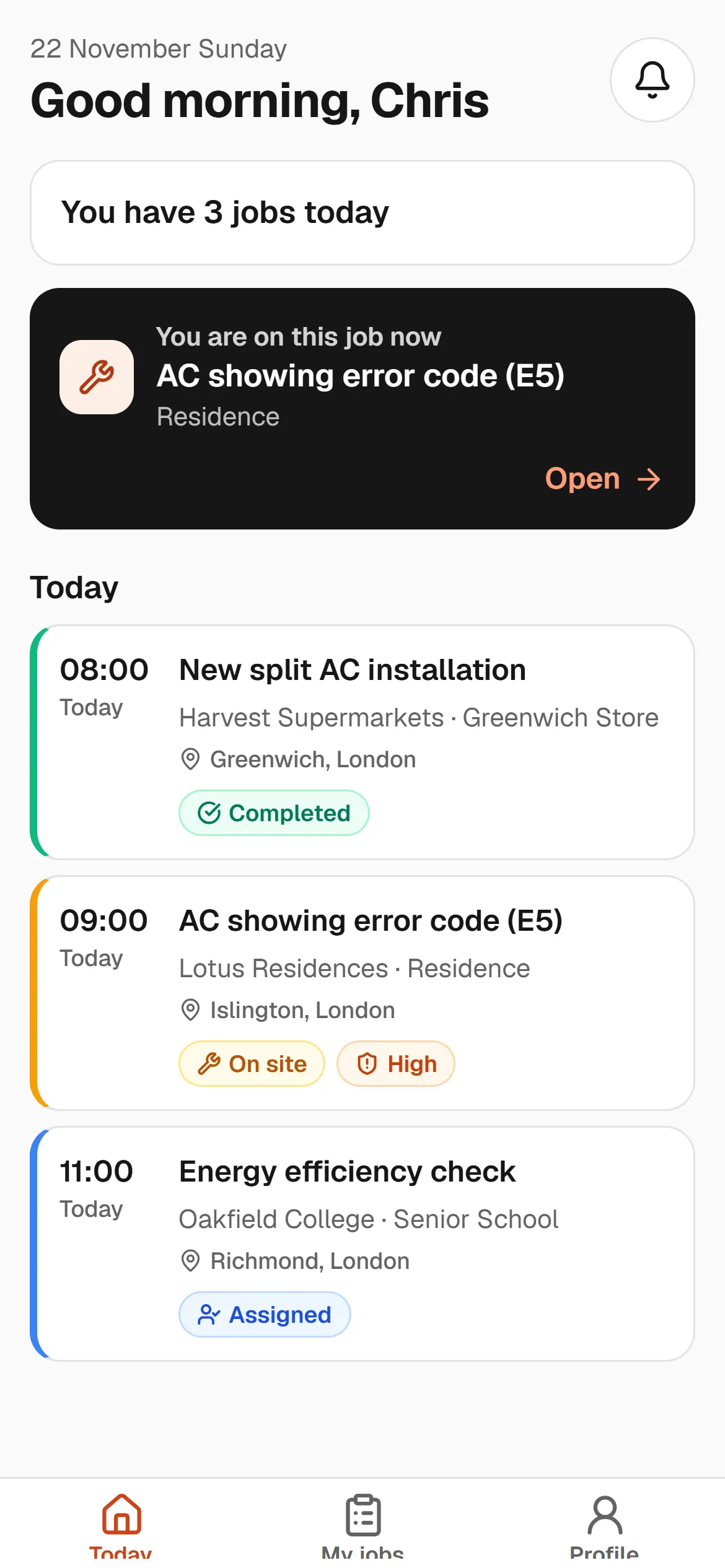
The same information, in each role's own language. The owner sees the big picture, the office handles dispatch, and the field team sees only today's jobs.
Business owner
“I see everything over my morning coffee.”
- Overdue, pending and unassigned jobs
- Cash, receivables and expenses together
- Whether the team opened the app today, and what they did
Office and operations
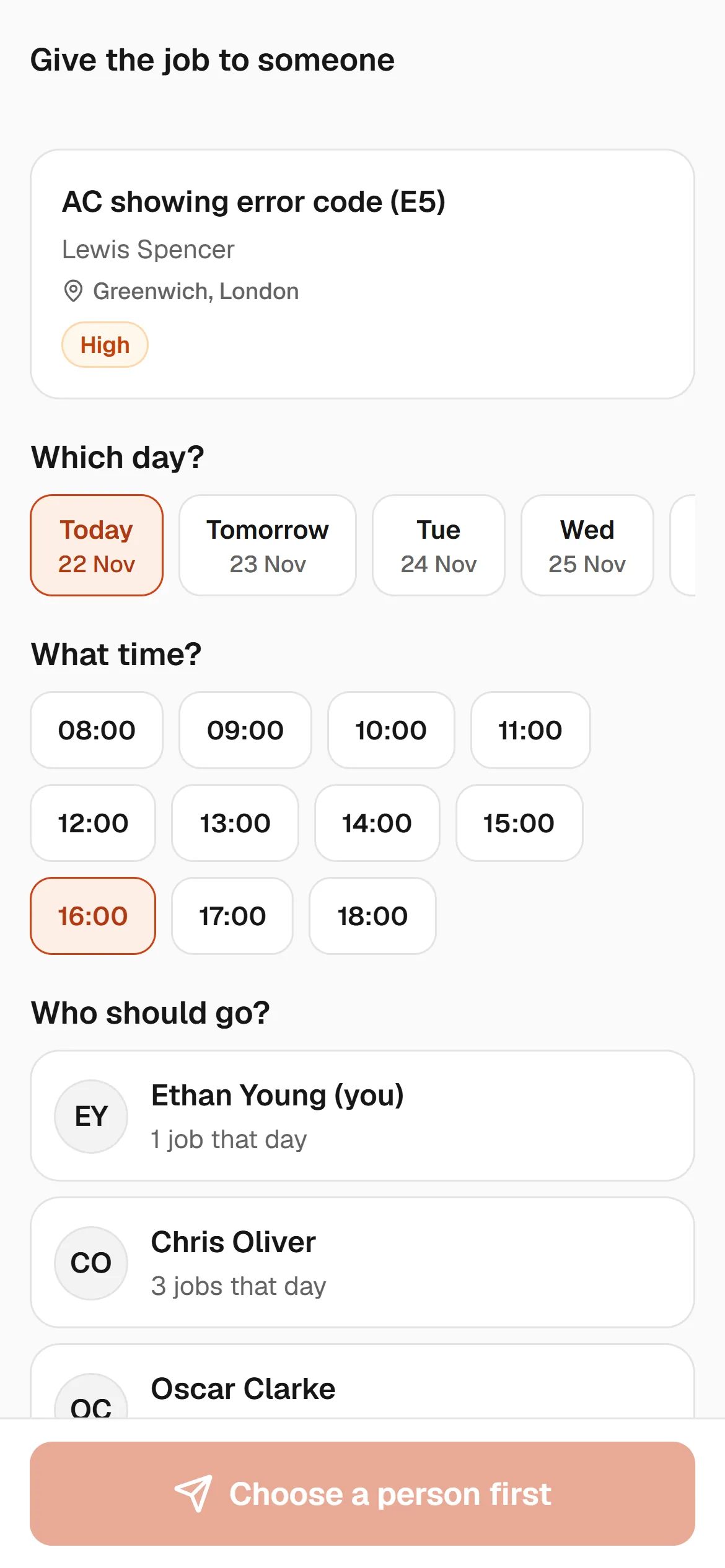
“I hand out the jobs without phoning anyone.”
- Takes the request, opens a work order in one click
- Assigns it to whoever is free and nearby
- Prepares quotes, plans maintenance
Team leader
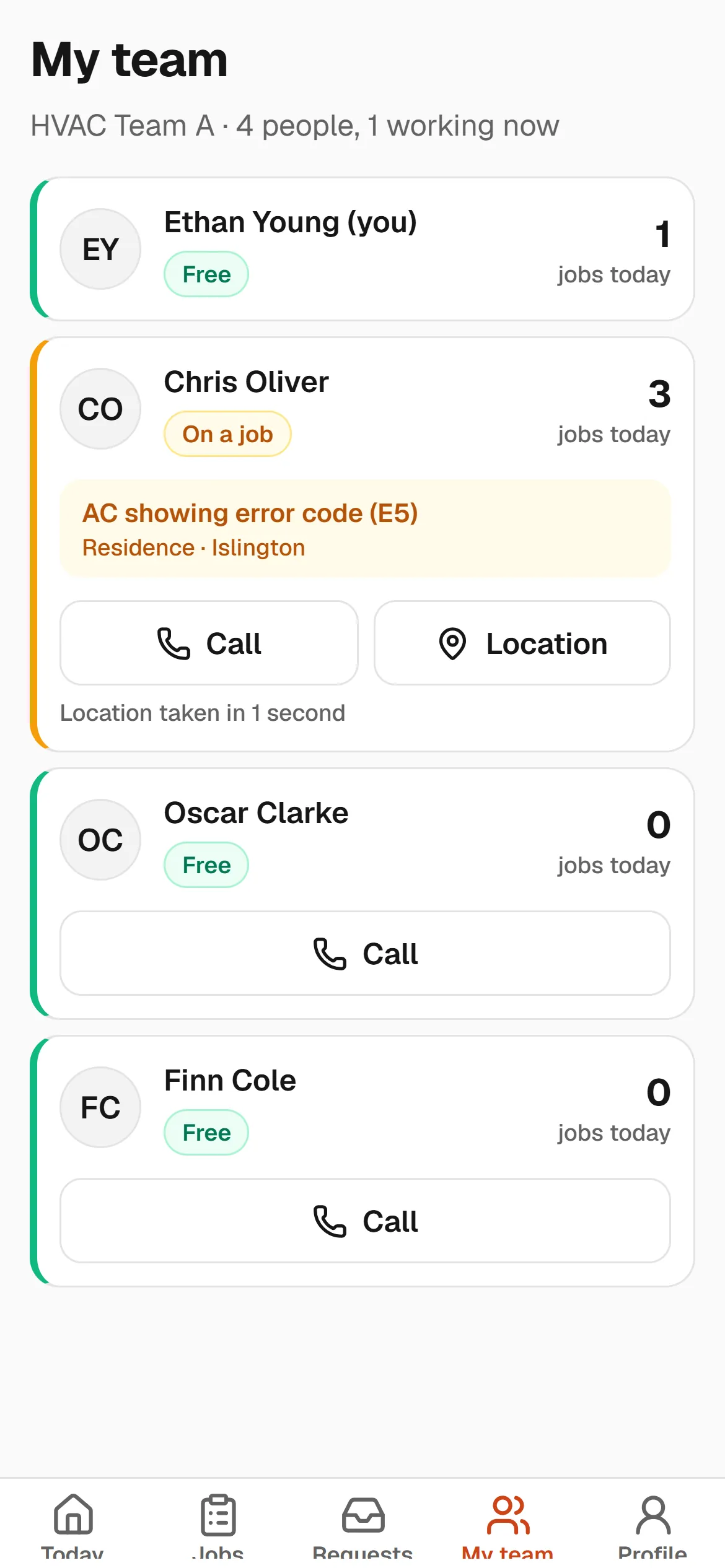
“Where my team is and who has what: it's all in my pocket.”
- Live status and location of the team
- Reassigns jobs within the team
- Checks finished jobs
Technician
“I've got 4 jobs today. That's all I need to think about.”
- Today's jobs in order on the phone
- On my way, on site, done
- Photos, checklists, signatures
Peace of mind in the field.
Not just for technicians: the office opens and assigns jobs, team leaders manage their teams, the owner keeps an eye on everything. Same information and same rules as the dashboard.
Big buttons, plain words
“You have 4 jobs today.” Anyone who reads it understands it; no training needed.
Arrival by location
When the technician reaches the site, it's logged. The office knows without calling.
Photos and checklists
Every step is ticked off, with before and after photos attached.
Signature on screen
No paper forms. The customer signs and the service report is ready.
Transparency builds trust
Did the field team open the app today, when did they first and last log in, what did they do on each job? The office and the owner see it on one screen. No location history or personal data is kept.
Every country
In Türkiye, in Germany, in the UK.
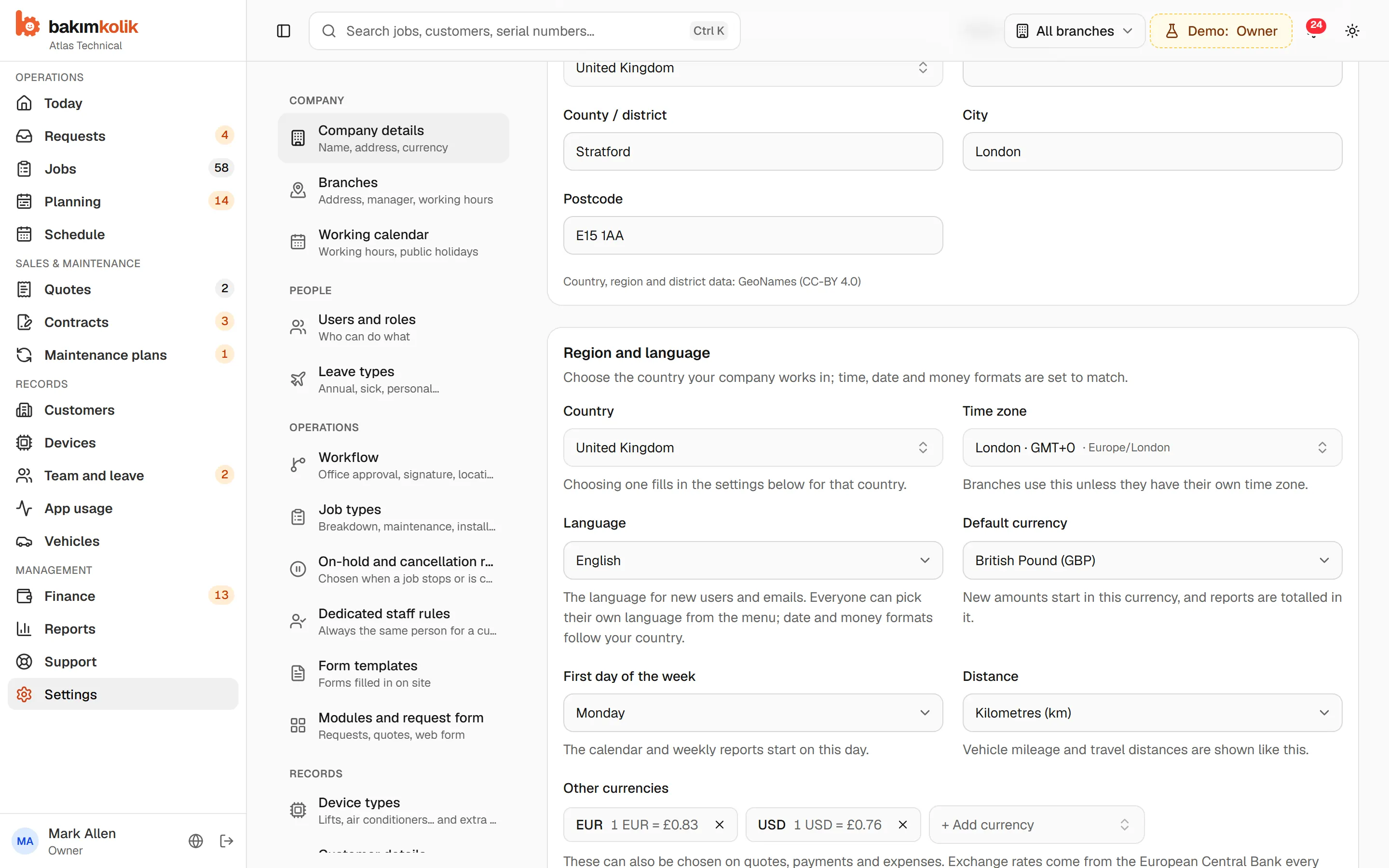
Language, time zone, currency, date format and VAT rate adapt to your company, your branch, even each member of staff. Pick your country and the rest follows.
- Turkish, English, German, French, Portuguese
- 5 languages
- Turkish, English, German, French, Portuguese
- countries with ready-made settings
- 18
- countries with ready-made settings
- currencies
- 30+
- currencies
- central bank exchange rates
- Daily
- central bank exchange rates
--:--
--:--
--:--
Appointments in the customer's time
When the Istanbul office books a Berlin customer for 10:00, the screen shows 10:00 (Berlin) Nobody has to work out the time difference in their head, clock changes included.
Exchange rates from the central bank, every day
Companies in Türkiye use TCMB rates; everyone else uses the European Central Bank. The rate fills in automatically on quotes, payments and expenses; if your bank's rate is different, just change it.
Example: TCMB buying rate, 20 November 2026
Multiple currencies
Enter the quote in euros, the payment in lira and the expense in pounds. Each amount is kept in its own currency; reports add up in your default currency.
Pick your country, the rest follows.
Language, time zone, currency, first day of the week, km or miles, VAT rate: all set for your country, and each one can be changed. Your branch abroad works in its own time zone and currency.
Grows with you
Tell us the feature you need, and we'll build it together.
The Support area of the dashboard has two routes: Support when you're stuck, Development when you want a feature that would make your work easier. Development requests go straight to the product team, and we add the most requested ones quickly.
Support
Something isn't working, or you're not sure how to do it. Tell us the screen name and we'll get back to you quickly.
Development
“We need an export to our accounting software”, “We'd like to see this report too”. Tell us how you do it today; we'll plan it and keep you posted.
- 1In the dashboard: Support → Development
- 2The product team reviews and plans it
- 3You hear from us when the feature is live
How it works
A job's whole journey, recorded from start to finish.
From the moment a request comes in until the report goes out: who did what, and when, all in a single work order.
- 1
Request comes in
Phone, email or web form
- 2
Work order opens
Customer, site and equipment selected
- 3
Assigned to a technician
Whoever is free and nearby
- 4
Done on site
Checklist and notes
- 5
Approved
Customer signature, manager check
- 6
Paid
Report ready, payment recorded
Getting started takes one afternoon.
No software to install, no server to buy, no technical know-how needed. The dashboard opens in your browser; the team works from the app on their phones.
Open your account
Enter your company name and email, then type in the code we send you. Free for 14 days; no credit card needed.
Try it with sample data
Play around with sample customers, equipment and jobs if you like; when you're ready, delete them in one click.
Add your team
Invitations go to your technicians and office; everyone works from their own phone, with their own permissions.
Security
Your customer list is in safe hands.
A service company's most valuable asset is its customer list. We take it as seriously as you do.
A space of your own
Each company's data is separated at database level. No other company can see your customers, equipment or prices, in any way.
Secure login
Email verification, a temporary lock after repeated failed attempts, and sign-out on every device when the password changes. Each session is tied to a single company.
Access by role
Owner, manager, operations, accounts, team leader, technician. It's clear who sees what.
Nothing deleted, everything traced
Payments and expenses are never deleted; they're cancelled with a reason. Who changed what, and when, is written in the work order's history.
Notifications in your company's name
Emails to your team and customers go out under your company name; replies come straight back to you.
Daily backups
Data is backed up to a separate location every day. The connection is always encrypted.
FAQ
Questions you might have
How does the free trial work?
Your 14-day free trial starts as soon as you sign up and verify your email; no credit card required. When it ends, your data isn't deleted; you can still view it. Start a subscription and you carry on where you left off; you can also start one before the trial ends.
I tried it with sample data. How do I switch to my own?
Click the “Delete sample data” button at the top of the dashboard and it's gone in one click. Your company details, settings and users stay.
Is the mobile app only for technicians?
No. The office team opens and assigns jobs, team leaders see their team and hand out work, the owner keeps an eye on everything. Same information and same rules as the dashboard.
Can we use it abroad? We work in a different currency.
Yes. The app is available in Turkish, English, German, French and Portuguese. Pick your country and the time zone, currency, date format and VAT are set automatically; exchange rates come from the central bank every day.
What if a feature we need is missing?
Write to us in the dashboard under Support → Development. Requests go straight to the product team; we add popular features quickly and let you know.
Can I import my existing customer list?
Yes. Upload your Excel or CSV file and your customers, sites and equipment come in at once.
Does it replace our accounting software?
No, it doesn't; official invoices stay in your accounting software. bakımkolik tracks the money in the field: who collected it, what's in the cash box, who owes what.
Our technicians don't use computers. Is that a problem?
Not at all. The field team works only from their phones, with a few big buttons: on my way, on site, done.
See your service in a new light.
Open your account in a few minutes and explore with sample data. If you like it, start with your own data the same day.
or write to us: info@bakimkolik.com